
A shopper arrives at your store from a Black Friday email. They want to see the products and check the prices. Before they can browse, a popup offers a different discount in exchange for their email address.
Which offer applies? Can they combine the discounts? Do they need to subscribe before buying?
Your campaign has created questions at the exact moment it should be making a purchase easier.
A useful Black Friday popup gives visitors information they can act on. Before the sale, that might mean joining a notification list. During the event, it might mean finding the right collection or getting a coupon code. In the final hours, it might mean seeing a clear deadline.
Choosing the right template starts with that decision.
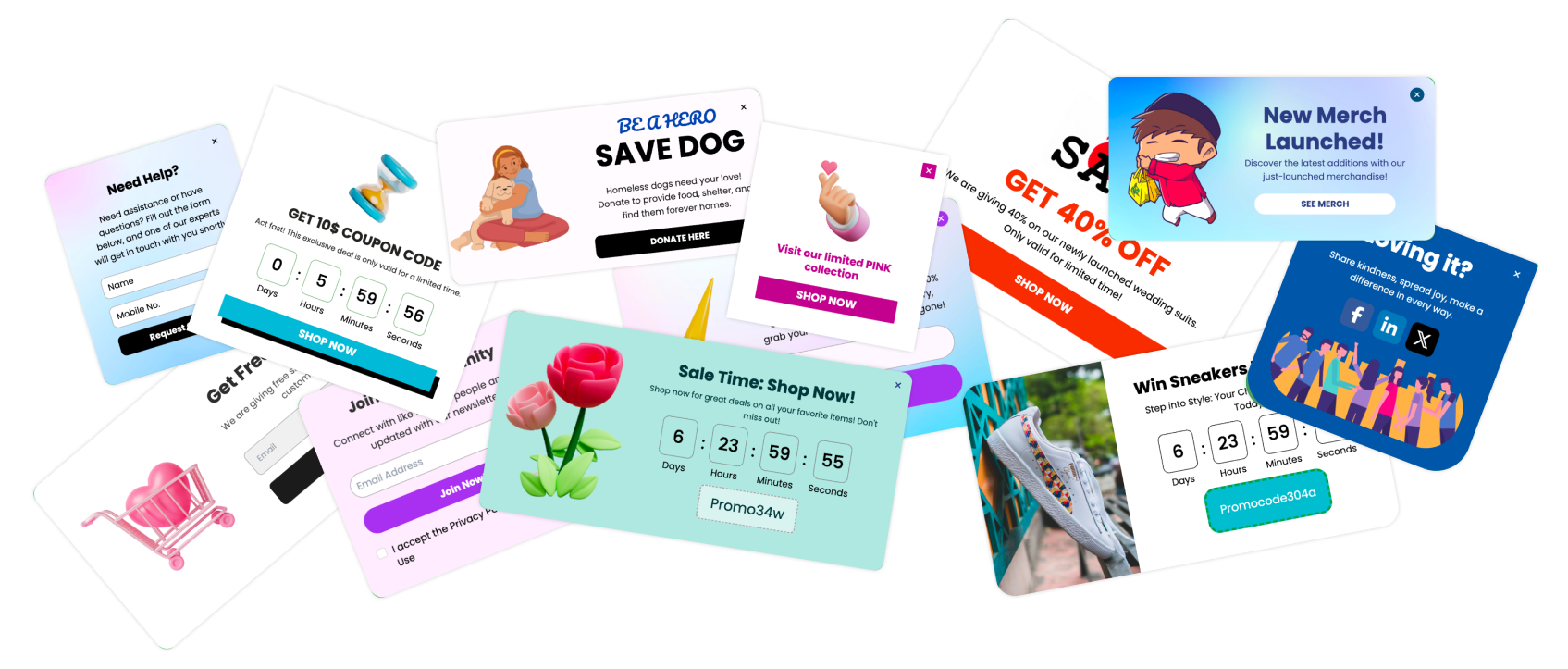
This guide covers ten Poper Black Friday templates, relevant findings from our campaign research, and a practical plan for using them. You will also find a measurement framework to help you judge whether your campaign is producing useful signups and profitable orders.

What the research tells us about popup conversions
Black Friday brings substantial shopping activity. Adobe reported $11.8 billion in U.S. online spending on Black Friday 2025, up 9.1% from the previous year. That describes the size of the shopping event, rather than the effect of any particular marketing tool. Source: Adobe’s 2025 holiday shopping results.
For popup performance, we can look at Poper’s own campaign analysis.
Our 365-day review covered approximately:
| Research measure | Reported figure |
|---|---|
| Customer domains | Approximately 5,300 |
| Campaigns | Approximately 15,700 |
| Popup displays | 133.8 million |
| Recorded conversion events | 2.83 million |
| Overall recorded conversion rate | 2.12% |
These figures provide context, but they need a clear definition.
A recorded conversion depends on the campaign. It does not necessarily mean a completed purchase. The analysis also includes different website categories, audiences, and offers, rather than a Black Friday-only ecommerce sample.
Use it to inform your testing, rather than to forecast your sale.
Relevant imagery deserves attention
One finding is particularly useful when choosing and customizing a template.
In Poper’s analysis, campaigns with images recorded a 2.76% conversion rate, compared with 1.00% for campaigns without images.
That is an observed difference between campaign groups. It does not establish that adding an image caused the higher rate. The audiences, offers, and campaign settings may also have differed.
For your Black Friday campaign, the practical question is whether the image helps explain the offer.
A photograph of the actual gift makes a gift promotion easier to understand. A product image can help a shopper recognize the collection being promoted. A decorative shopping bag may add little if it pushes the offer below the fold on mobile.
| Campaign group | Recorded conversion rate | Approximate displays |
|---|---|---|
| With images | 2.76% | 85.1 million |
| Without images | 1.00% | 48.6 million |

Decide what the popup needs to accomplish
Before choosing colors or rewriting a headline, finish this sentence:
“After seeing this popup, the visitor should…”
The answer should describe one main action:
Join the Black Friday notification list.
Open the sale collection.
Find and use the discount code.
Explore a featured product.
Understand the gift offer.
Complete a purchase before the deadline.
Trying to accomplish all six in one popup usually creates a crowded message.
The campaign stage helps you choose the right action.
| Campaign stage | Visitor’s likely question | Useful popup |
|---|---|---|
| Before the sale | When will the offers become available? | Waitlist or notification signup |
| Sale launch | What is the deal? | Sale announcement or coupon popup |
| During browsing | Which products should I look at? | Bestseller or category promotion |
| While comparing offers | What makes this purchase worthwhile? | Gift offer or relevant reminder |
| Final hours | How long do I have? | Countdown popup or banner |
Prepare the destination at the same time. A button labeled “Shop discounted bags” should open discounted bags. Sending everyone to the homepage adds another decision before they can act.

Our top 10 Black Friday popup templates
These templates cover different campaign purposes. The order follows the shopping journey, rather than a ranking by measured performance.
All sample discounts, codes, deadlines, and product names below are illustrative. Replace them with your actual promotion before publishing.
1. Black Friday Waitlist Popup

Best for: Collecting interest before the event.
The Black Friday Waitlist Popup gives visitors a straightforward way to hear about your upcoming sale.
Explain what joining means. Receiving a notification and getting early access are different benefits. Promise early access only when subscribers will genuinely be able to shop before other visitors.
Suggested copy:
Be first to hear about our Black Friday sale Join the list and we’ll email you when the offers go live.
Button: Notify me
Send a confirmation that explains what happens next. If you know the launch date, include it.
Measure: Completed signups and subsequent purchases from that subscriber group.
2. Black Friday Sale Signup Popup

Best for: Capturing visitors who want sale updates.
The Black Friday Sale Signup Popup includes an email field and a direct signup action.
Use it when a visitor has a reason to stay informed. Make that reason explicit beside the field.
Suggested copy:
Get the Black Friday details in your inbox.
Receive the sale announcement and a link to our featured offers.
Button: Send me the details
Exclude existing subscribers where appropriate. Someone who has already joined your list needs the promised information, rather than another request to subscribe.
Keep the form focused on the information you need for this campaign.
Measure: Valid signups, engagement with the announcement, and later orders.
3. Exclusive Black Friday Sale Popup

Best for: Explaining the main offer once it is live.
The Exclusive Black Friday Sale Popup provides a promotional layout with an offer, coupon code, and action button.
Customize those elements together. The image, headline, and destination should describe the same promotion.
Suggested copy:
Black Friday is liveSave 20% on selected bags through Monday.
Use code FRIDAY20 at checkout.
Button: Shop eligible bags
Make the scope easy to understand. If only selected products qualify, show those products on the destination page.
Avoid broad claims such as “everything discounted” when exclusions apply.
Measure: Click-through, discount redemption, and completed purchases.
4. Black Friday Coupon Code Popup

Best for: Making a promotion easy to redeem.
The Black Friday Coupon Code Popup puts the code at the center of the message.
This format suits shoppers who understand the sale but need the redemption details.
Suggested copy:
Your Black Friday code: FRIDAY20.
Take 20% off selected full-price bags.
Enter the code at checkout before Monday at 11:59 p.m. ET.
Test the code on qualifying and excluded products. Check minimum spend, expiry, and whether other promotions can be combined.
The popup communicates the offer. Your store’s discount settings must apply it correctly.
Measure: Code use, completed orders, and any customer questions about redemption.
5. Black Friday Countdown Offer Top Bar

Best for: Keeping the offer visible during browsing.
The Black Friday Countdown Offer Top Bar combines a sale message, countdown, and shopping button in a banner format.
It can support a longer browsing session without repeatedly opening a central popup.
Suggested copy:
Black Friday ends Monday at 11:59 p.m.
ETSave 20% on selected bags.
Button: Shop the sale
Check how much screen space it occupies on a phone. Keep navigation, product details, and shopping controls accessible.
Coordinate it with other campaigns so visitors do not encounter competing offers.
Measure: Banner clicks and purchases, reviewed separately for desktop and mobile.
6. Black Friday Free Gift Offer Popup

Best for: Adding a tangible benefit to qualifying orders.
The Black Friday Free Gift Offer Popup is built around a gift for the first 100 shoppers.
Use that structure when your available stock and fulfillment process support it. If you change the promotion to a spending threshold, update the copy and store rules accordingly.
Suggested copy:
A Black Friday extra for early shoppers
The first 100 qualifying orders receive a complimentary travel pouch.
Button: See qualifying products
Show the actual gift where possible. Explain eligibility and stop the promotion when the available allocation is exhausted.
Measure: Qualifying orders and contribution after gift and fulfillment costs.
7. Black Friday Gamified Popup

Best for: Testing an interactive offer.
The Black Friday Gamified Popup uses a prize wheel and email entry to introduce a reward.
Choose the rewards before designing the campaign. Every available outcome should be something you can honor, with clear conditions.
Suggested copy:
Spin for a Black Friday reward.
Enter your email, spin the wheel, and reveal your offer.
Button: Reveal my reward
Keep the experience short enough to complete comfortably on mobile. Make the reward easy to retrieve and redeem afterward.
Track what happens beyond participation. Signups alone do not tell you whether the campaign attracts buyers.
Measure: Completed entries, reward redemption, orders, and contribution per participant.
8. Black Friday Bestselling Product Popup

Best for: Giving undecided shoppers a useful starting point.
The Black Friday Bestselling Product Popup directs attention toward popular products and featured deals.
Choose the products using your own sales records. A bestseller claim should have a basis, and the featured products should still be available.
Suggested copy:
Start with our customer favorites.
Explore bestselling bags included in the Black Friday sale.
Button: View bestselling deals
Where possible, match the promotion to the category being browsed. Use relevant product imagery and send visitors to the promised selection.
Measure: Product visits, add-to-cart activity, and completed orders.
9. Community Black Friday Exit-Intent Popup

Best for: Giving departing visitors a relevant reminder.
The Community Black Friday Exit-Intent Popup creates another opportunity to explain the promotion before someone leaves.
Start with what the shopper may have missed. A relevant collection link or clearer explanation of the existing offer may be enough.
Suggested copy:
Still comparing Black Friday offers?
See the bags included in our sale before you go.
Button: View the sale collection
Configure the audience and trigger deliberately. Test mobile behavior separately because a phone does not provide the same cursor signals as desktop.
Measure: Subsequent browsing and purchases, rather than clicks alone.
10. Black Friday Timer Sale Popup

Best for: Communicating the genuine closing window.
The Black Friday Timer Sale Popup combines a countdown with a direct route to the deals.
Reserve the strongest deadline message for the actual closing period.
Suggested copy:
Black Friday pricing ends tonight.
Shop selected offers before 11:59 p.m. ET.
Button: Shop before the sale ends
Check that the timer, campaign schedule, and checkout discount expire together. State the time zone and prepare the message visitors will see afterward.
A countdown should help someone understand the promotion accurately.
Measure: Orders during the closing window and correct campaign expiry.
Write an offer shoppers can understand immediately
“Biggest sale ever” leaves visitors to discover the practical details.
A useful offer answers four questions:
What is available?
Which products qualify?
What does the shopper need to do?
When does the promotion end?
“Save 20% on selected bags until Monday” gives someone enough information to begin.
Keep the button equally clear. “Shop discounted bags” describes the destination. “Join the waitlist” describes the commitment.
Review the whole message chain. Your ad, email, popup, product page, and checkout should agree about the offer.
A useful editing check: Read only the headline, offer, and button. If those three elements do not explain the next step, simplify them before adding supporting copy.
Choose timing based on the visitor’s activity
A visitor arriving from your sale email already knows more than someone discovering your store for the first time.
Use that context.
Before the event, let interested visitors request a notification. During the sale, prioritize the offer and relevant products. After someone purchases, remove messages that ask them to complete the same action again.
Start with manageable rules:
Exclude people who have completed the requested action.
Limit repeat displays after dismissal.
Avoid overlapping central popups.
Keep unnecessary interruptions away from checkout.
Retire expired messages automatically.
For a deeper look at the evidence behind different triggers, see Poper’s research on which popup triggers convert best.
Test the sequence yourself. Dismiss the popup, browse several pages, return to the store, subscribe, and purchase. Campaign conflicts often become obvious during that walkthrough.
Review the mobile experience before launch
Adobe reported that smartphones accounted for 56.4% of online transactions during the November and December 2025 U.S. holiday season. This is a full-season figure, rather than a Black Friday-only measure. Source: Adobe’s holiday shopping analysis.
Open your campaign on an actual phone.
Check the popup with the keyboard visible. Can someone read the offer, complete the field, reach the button, and dismiss the message?
Look for collisions with chat widgets, sticky cart controls, and navigation. Confirm that the destination page works just as well.
Shorten the copy before shrinking the type. Keep essential conditions readable and make any supporting terms easy to find.
Measure the result that matters to the campaign
A signup, a click, and a purchase represent different stages of the journey.
| Campaign purpose | Primary measure | Follow-up measure |
|---|---|---|
| Build a notification list | Valid signups per display | Subscriber-to-purchase rate |
| Announce the sale | Click-through rate | Purchases after exposure |
| Promote a gift | Qualifying orders | Contribution after gift costs |
| Feature products | Product engagement | Completed orders |
| Communicate the deadline | Orders during the closing period | Revenue and contribution per eligible visitor |
Use consistent denominators. A rate based on displays will differ from one based on unique visitors when people see the campaign repeatedly.
What a small improvement could mean
Consider an illustrative signup campaign with 10,000 displays:
| Hypothetical displays | Assumed signup rate | Calculated signups |
|---|---|---|
| 10,000 | 2% | 200 |
| 10,000 | 3% | 300 |
The difference is 100 subscribers.
These are hypothetical assumptions, not Poper benchmarks or predicted Black Friday results. Whether those additional subscribers create value depends on who they are and what they do next.

For stronger evidence of additional sales, compare randomly assigned campaign and holdout groups over the same period. Keep the underlying promotion comparable, then review purchases and contribution per eligible visitor.
Attribution tells you which orders were associated with the campaign. A controlled comparison helps estimate whether the campaign changed the outcome.
Your Black Friday popup launch checklist
Before publishing, complete a real customer journey:
Confirm eligible products, exclusions, and minimum spend.
Test coupons on qualifying and excluded orders.
Check every button destination.
Submit the form and review the follow-up email.
Inspect desktop and mobile layouts.
Verify audience exclusions and display frequency.
Match the countdown time zone to the sale schedule.
Confirm gift availability and fulfillment instructions.
Check analytics events.
Prepare the replacement message for after the sale.
Assign someone to monitor the campaign while it is live. Broken links, exhausted gifts, and sold-out featured products need quick attention during a short promotion.
Frequently asked questions
When should I launch my Black Friday popup?
Match the timing to its purpose. Run notification signups before the event, launch sale announcements when the offer begins, and reserve final-hours messaging for the actual closing window.
What is a good conversion rate?
Compare campaigns with similar goals and audiences. Poper’s mixed-campaign research recorded an overall 2.12% event conversion rate, but that is not a Black Friday purchase target. Your own comparable campaign history is more useful for setting expectations.
Should I use more than one template?
You can use different templates across the campaign. Give each a distinct job and configure their audiences and schedules so they work together.
Does a countdown improve conversions?
A countdown can clarify a real deadline. Its effect depends on the offer and audience. Test it on your store rather than assuming it will improve results.
Can these templates work for other event sales?
Yes. Adapt the imagery, dates, copy, and eligibility for Cyber Monday, an anniversary promotion, or an end-of-season sale. Review the targeting and follow-up messages too.
Choose the template that helps your customer take the next step
Start with the part of the shopping journey that needs attention.
If visitors miss the offer, explain it clearly. If they struggle to choose, highlight a relevant collection. If they want to hear when the sale opens, make that easy to request.
Choose a Poper template, replace the sample content with your actual promotion, and test the complete journey from the first display to checkout.