
I still remember the first accordion I ever shipped. It worked, but the panels snapped open like a light switch, and a teammate quietly asked if it was broken. That tiny jolt is the exact problem animated accordion CSS solves, and the good news is that we can solve it today without writing a single line of JavaScript.
So in this guide I want to sit down with you and walk through Animated Accordion CSS the way I would explain it to a friend over coffee. We will look at why the old height trick never worked, the two modern animated accordion CSS techniques I actually use, the browser support story in 2026, and a pattern you can copy straight into your project.
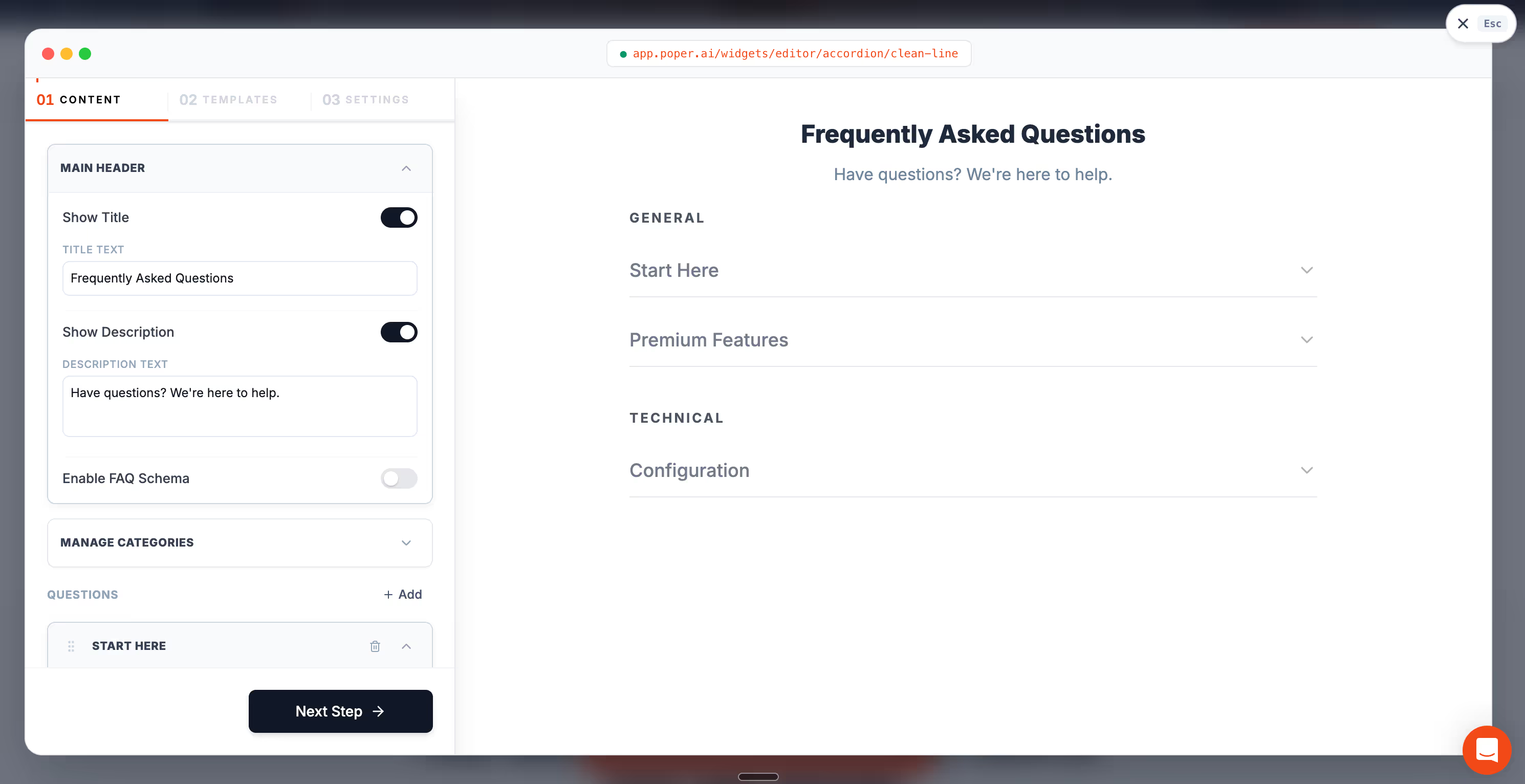
We build the Poper Accordion widget so you never have to think about this, but I want this post to help you even if you never touch our tool. By the end, you should be able to build animated accordion CSS that feels smooth on every device.
Why Animated Accordion CSS matters more than it looks
An accordion is a small component, so it is easy to treat animation as decoration. I used to think that way too. Then I started measuring, and animated accordion CSS turned out to be a quiet performance and conversion lever.
The reason is simple. Every JavaScript-driven accordion adds script that the browser must download, parse, and run. According to the Web Almanac by HTTP Archive, the median site now ships around 500 KB of JavaScript, and that payload keeps climbing year over year [1]. Moving an accordion to animated accordion CSS removes one more script from that pile.
Speed is money here. A widely cited Deloitte study, "Milliseconds Make Millions," found that a 0.1 second improvement in mobile load time lifted retail conversions by 8.4% [2]. When I replace a JavaScript accordion with animated accordion CSS, I am buying back a slice of that load time for free.
Visitors are also less patient than they used to be. Google research notes that the chance of a bounce rises sharply as a page moves from one to four seconds of load time [3]. A lean animated accordion CSS component keeps you on the right side of that line.
The old way and why Animated Accordion CSS replaced it
For years, the only way to animate an accordion was a JavaScript hack. You measured the panel with scrollHeight, set an explicit pixel height, and transitioned to it. It worked, but it was fragile.
The problem is that CSS cannot transition to height: auto. So the JavaScript approach broke whenever the content changed, whenever a font loaded late, or whenever the viewport resized. Every team I joined had a slightly different patch for it. Animated accordion CSS exists today because the language finally gained real tools to handle unknown heights on its own.
That shift matters. With modern animated accordion CSS, the browser handles the math, the content can be any height, and there is no script to maintain. Let me show you the two methods I rely on.
Method 1: Animated Accordion CSS with grid-template-rows
This is my favorite animated accordion CSS technique because it works in every current browser. The trick uses CSS Grid. A collapsed row gets a height of 0fr, and an open row gets 1fr. Because both values are real numbers, the browser can smoothly transition between them.
Here is the full pattern. It uses the native details and summary elements for the toggle behavior, then layers animated accordion CSS on top for the smooth motion.
The markup is just as small. Each section wraps its body in a .panel grid container and a .panel-inner child.
That is the whole component. The grid row carries the animation, the inner element hides the overflow, and the content can be any height you want. This animated accordion CSS pattern has been stable in Chrome, Firefox, and Safari since 2023, so I treat it as my safe default.
<style>.accordion { max-width: 700px; margin: 40px auto; font-family: Arial, sans-serif;} .accordion details { border: 1px solid #ddd; border-radius: 10px; margin-bottom: 12px; overflow: hidden; background: #fff;} .accordion summary { list-style: none; cursor: pointer; padding: 18px 20px; font-size: 18px; font-weight: 600; position: relative;} .accordion summary::-webkit-details-marker { display: none;} /* Plus / minus icon */.accordion summary::after { content: "+"; position: absolute; right: 20px; top: 50%; transform: translateY(-50%); font-size: 24px; transition: transform 0.3s ease;} .accordion details[open] summary::after { content: "−";} /* Animated panel */.panel { display: grid; grid-template-rows: 0fr; transition: grid-template-rows 0.35s ease;} .accordion details[open] .panel { grid-template-rows: 1fr;} .panel-inner { overflow: hidden;} .panel-content { padding: 0 20px 20px; color: #555; line-height: 1.6;}</style> <div class="accordion"> <details> <summary>What is an accordion?</summary> <div class="panel"> <div class="panel-inner"> <div class="panel-content"> An accordion is a collapsible content section used to hide and reveal information without taking too much space on the page. </div> </div> </div> </details> <details> <summary>Why use grid-template-rows?</summary> <div class="panel"> <div class="panel-inner"> <div class="panel-content"> Using CSS Grid allows the height animation to smoothly adapt to any content size without needing fixed max-height values. </div> </div> </div> </details> <details> <summary>Does this work in all browsers?</summary> <div class="panel"> <div class="panel-inner"> <div class="panel-content"> Yes. This animated accordion CSS pattern works in all modern versions of Chrome, Firefox, Safari, and Edge. </div> </div> </div> </details> </div>Example -
What is an accordion?
Why use grid-template-rows?
Does this work in all browsers?
Why grid-template-rows beats max-height
Many older tutorials animate max-height instead. I avoid that approach in any serious animated accordion CSS work. You have to guess a max-height larger than the real content, which makes the timing feel off, because the transition spends part of its duration animating empty space. The grid method has no guessing, so the animated accordion CSS motion always matches the real content height.
Same Expand and Collapse, None of the CSS to Maintain
The grid-template-rows pattern above works, and from the moment you paste it you own all of it: the keyboard behavior, the reduced motion query, and every browser change that comes later. The Poper Accordion widget gives you the same animated open and close as a hosted widget you configure visually and install with one script tag.
<!-- Poper Code Start -->
<script id="poper-js-script" data-account-id="YOUR_ACCOUNT_ID"
        src="https://app.poper.ai/share/poper.js" defer></script>
<!-- Poper Code End -->Method 2: Animated Accordion CSS with the details-content element
The newest animated accordion CSS approach is even cleaner. The browser now exposes a ::details-content pseudo-element, which is the hidden box inside every details tag. We can style and animate that box directly.
This method needs two extra pieces. The transition-behavior: allow-discrete property lets the browser animate properties that normally jump, and interpolate-size: allow-keywords lets it transition to height: auto.
I love how little code this animated accordion CSS version needs. There is no wrapper grid and no inner overflow element. The browser does everything. The catch is browser support, and that is worth a clear comparison.
<style> :root { interpolate-size: allow-keywords; } .accordion { max-width: 720px; margin: 40px auto; font-family: Arial, sans-serif; } .accordion details { border: 1px solid #e5e5e5; border-radius: 14px; background: #fff; margin-bottom: 12px; overflow: clip; } .accordion summary { list-style: none; cursor: pointer; padding: 18px 20px; font-size: 18px; font-weight: 700; position: relative; user-select: none; } .accordion summary::-webkit-details-marker { display: none; } .accordion summary::after { content: "+"; position: absolute; right: 20px; top: 50%; transform: translateY(-50%); font-size: 22px; transition: transform 0.3s ease; } .accordion details[open] summary::after { content: "−"; } /* New method */ .accordion details::details-content { height: 0; opacity: 0; overflow: clip; padding: 0 20px; border-top: 1px solid transparent; transition: height 0.35s ease, opacity 0.25s ease, content-visibility 0.35s allow-discrete; } .accordion details[open]::details-content { height: auto; opacity: 1; padding-bottom: 18px; border-top-color: #eee; } .accordion .content { color: #555; line-height: 1.65; padding-top: 14px; } .accordion .content p { margin: 0 0 10px; }</style> <div class="accordion"> <details> <summary>What is this method?</summary> <div class="content"> <p>This uses the browser’s built-in details content box instead of adding a grid wrapper.</p> <p>The accordion still works with native HTML toggle behavior.</p> </div> </details> <details> <summary>Why is it cleaner?</summary> <div class="content"> <p>There is no extra panel element, no inner overflow wrapper, and no manual height math.</p> <p>The browser animates the content box directly.</p> </div> </details> <details> <summary>What is the downside?</summary> <div class="content"> <p>This is newer CSS, so support is not as universal as the grid-template-rows pattern yet.</p> </div> </details></div>Example -
What is this method?
This uses the browser’s built-in details content box instead of adding a grid wrapper.
The accordion still works with native HTML toggle behavior.
Why is it cleaner?
There is no extra panel element, no inner overflow wrapper, and no manual height math.
The browser animates the content box directly.
What is the downside?
This is newer CSS, so support is not as universal as the grid-template-rows pattern yet.
Browser support for Animated Accordion CSS in 2026
Picking the right animated accordion CSS method comes down to which browsers your visitors use. Here is how the two approaches compare today.
| Feature | Used by | Support status | Best for |
|---|---|---|---|
| grid-template-rows 0fr to 1fr | Method one | Chrome, Firefox, Safari since 2023 | Production sites that need wide, reliable animated accordion CSS |
| transition-behavior: allow-discrete | Method two | Baseline since August 2024 | Modern projects that can accept a graceful fallback |
| ::details-content pseudo-element | Method two | Baseline newly available, September last year | Cutting-edge animated accordion CSS with the least code |
| interpolate-size: allow-keywords | Method two | Chromium only as of early 2026 | Progressive enhancement, never a hard requirement |
The table makes my advice easy. If you need broad, dependable animated accordion CSS right now, ship method one. If you are happy for Firefox and Safari users to see an instant open while Chrome users see the slide, method two is a clean progressive enhancement. The MDN reference for ::details-content tracks the live support data if you want to recheck before you ship [4].
Or Let Someone Else Watch the Support Table
Both methods are worth using, and both leave you tracking baseline support and revisiting the component when it moves. A hosted widget takes that job off the roadmap: the animation, the fallbacks, and the browser changes are maintained for you, and panels become content you edit rather than code you ship.
Accessibility still matters in Accordion
A smooth animation is not an excuse to drop accessibility. The nice thing is that building animated accordion CSS on top of details and summary gives you keyboard support, focus handling, and screen reader announcements for free, because those are native elements.
There is one rule I never skip. Some people set their device to reduce motion, and animated accordion CSS should respect that. I always wrap the transition in a media query so the motion turns off for anyone who asked for less of it.
With that block in place, the accordion still opens and closes correctly, it just skips the slide. That keeps your animated accordion CSS friendly to people with motion sensitivity, and it costs four lines.
When a No Code Accordion beats hand-written Animated Accordion CSS
I have shown you that animated accordion CSS is genuinely simple now. So when would I still reach for a tool instead of writing it myself?
The answer is upkeep. A hand-built animated accordion CSS component lives in your codebase forever. Someone has to test it after every browser update, restyle it for every brand refresh, and rebuild it when a non-developer wants to add an FAQ on a Shopify or WordPress page. That is where a widget earns its place.
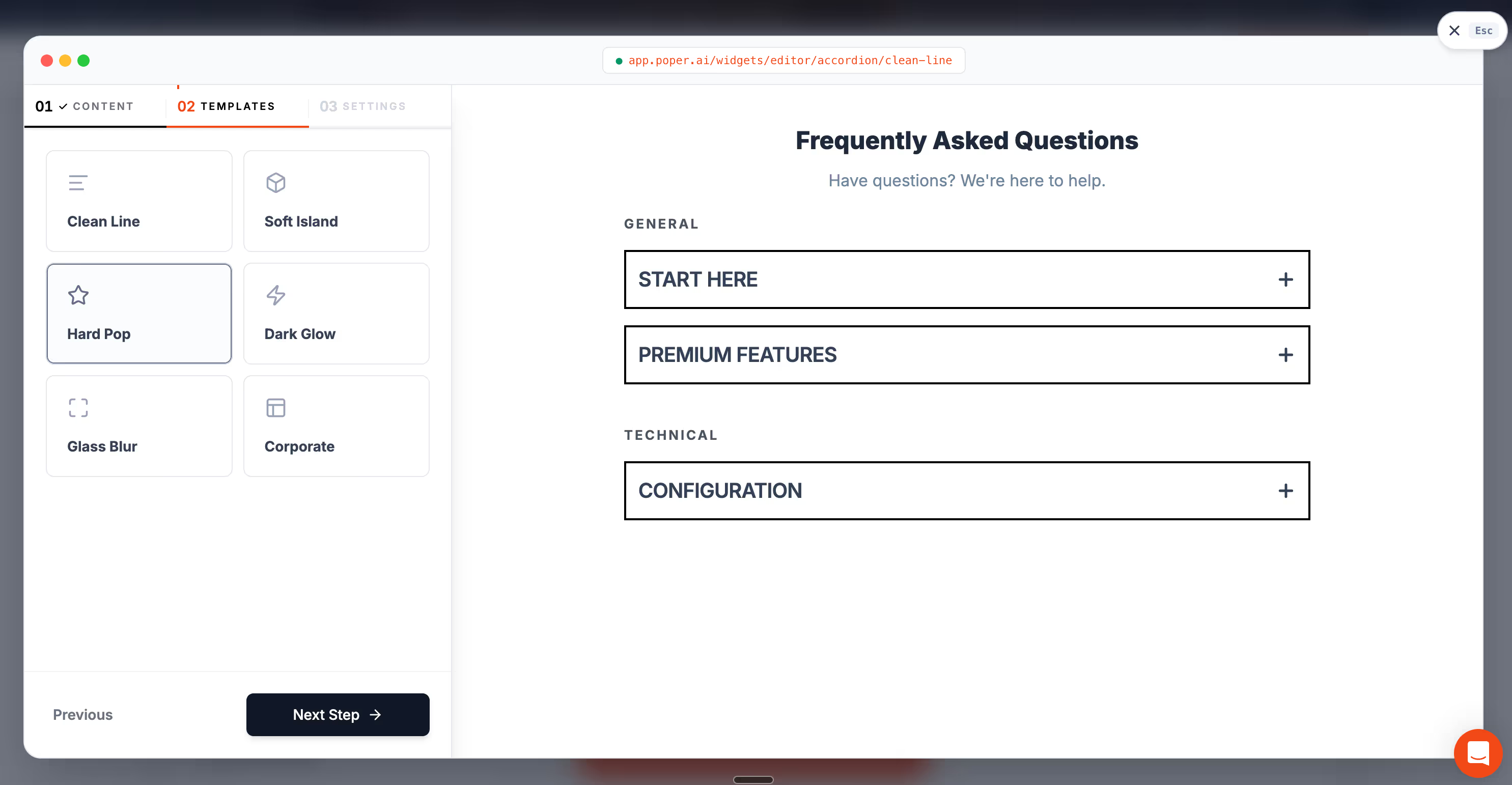
The Poper Accordion widget gives you smooth animated accordion CSS behavior, correct accessibility, and a visual editor, with no code on the page you maintain. You drop it onto Shopify, WordPress, Webflow, Wix, Squarespace, or plain HTML, and the animation travels with it. If you want to see it in action, the Poper Accordion widget page shows the live patterns.
My honest rule of thumb: if you are a developer building one accordion on one page, hand-written animated accordion CSS is perfect. If you are a marketer, or you manage many pages across many sites, a widget will save you hours every month.
Wrap up: Animated Accordion CSS is finally easy
For most of my career, a smooth accordion meant fragile JavaScript and a height hack everyone secretly disliked. That era is over. Animated accordion CSS today is a small, readable block of styles that any browser can run.
Reach for the grid-template-rows method when you need wide support, and the ::details-content method when you want the least possible code. Build both on native details and summary tags, respect reduced motion, and your animated accordion CSS will feel smooth, stay accessible, and ship with zero JavaScript. That is the standard your visitors quietly expect, and now it is the easy path too.
References
Pick a Method, Then Stop Thinking About Accordions
Reach for grid-template-rows when you need wide support and details-content when your visitors are on current browsers. If neither is worth the maintenance, configure the Poper Accordion widget once and let the animation, the accessibility defaults, and the next browser change be handled for you.
Add an Accordion to Your SiteOne script tag to install. Free plan, no credit card required.


